Products
Ricoh equipment and office workflow routes built around procurement clarity.
The product journey separates device categories, consumables and workflow requests so buyers can ask for the right quote without guessing stock or specifications.
- 01
No published live stock claims
- 02
Category-specific buying paths
- 03
Service and consumables considered before quote
Procurement
- 01
Scope the workload
Capture users, volumes, paper size, scan needs, network setup and site constraints.
- 02
Confirm availability
The sales desk confirms current Lagos stock, lead time or required ordering path.
- 03
Quote the right package
Quote equipment with service, consumables and installation details separated clearly.
- 04
Install and support
Commission the device, document the handover and route support through the service desk.
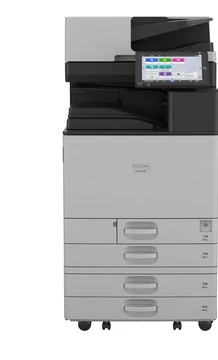
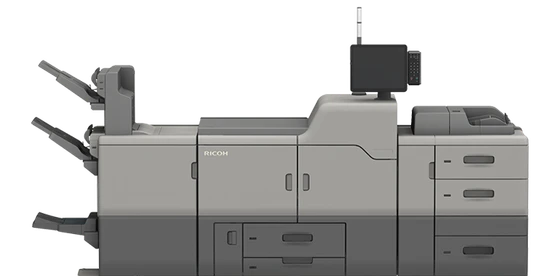
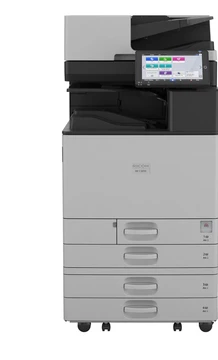
Ricoh intelligent devices
Powerful. Reliable. Built for business.
From compact workgroups to high-volume production, device choice, consumables and service ownership need to be specified together before price is finalised.
Request a QuoteCatalogue
Start with the product lane.
-
Product lane
Printers
Ricoh workgroup printers for everyday office output, secure release and controlled running cost.
Printers -
Product lane
Copiers & MFPs
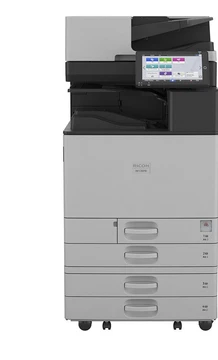
A3 and A4 multifunction devices for print, copy, scan and document routing.
Copiers & MFPs -
Product lane
Scanners
Desktop and production scanning for back offices, records teams and workflow capture.
Scanners -
Product lane
Toner & Consumables
Genuine toner, drums, developers and replacement consumables matched to each device.
Toner & Consumables -
Product lane
Spare Parts
Fusers, rollers, transfer units and service parts routed through the service desk.
Spare Parts -
Product lane
Office Workflow
Mobile printing, document workflow and managed print control for busy teams.
Office Workflow -
Product lane
Plotters & Wide-Format
Large-format print requests for drawings, plans, presentations and site documentation.
Plotters & Wide-Format -
Product lane
Projectors
Meeting-room projection requests scoped by room size, mounting needs and support plan.
Projectors -
Product lane
Interactive Whiteboards
Collaboration displays and board requests routed through the sales and installation desk.
Interactive Whiteboards
Procurement
A quote should include the operating context.
- 01
Scope the workload
Capture users, volumes, paper size, scan needs, network setup and site constraints.
- 02
Confirm availability
The sales desk confirms current Lagos stock, lead time or required ordering path.
- 03
Quote the right package
Quote equipment with service, consumables and installation details separated clearly.
- 04
Install and support
Commission the device, document the handover and route support through the service desk.
Reach the right desk